How to Use DATEVALUE Function in Excel (Video in Khmer)
Learn how to use DATEVALUE function in Excel step-by-step to convert text date to real date.
Hello everyone! Today I show you very easy step-by-step how to use DATEVALUE() function in Microsoft Excel and follow this video to learn. In this video I use the Khmer language.
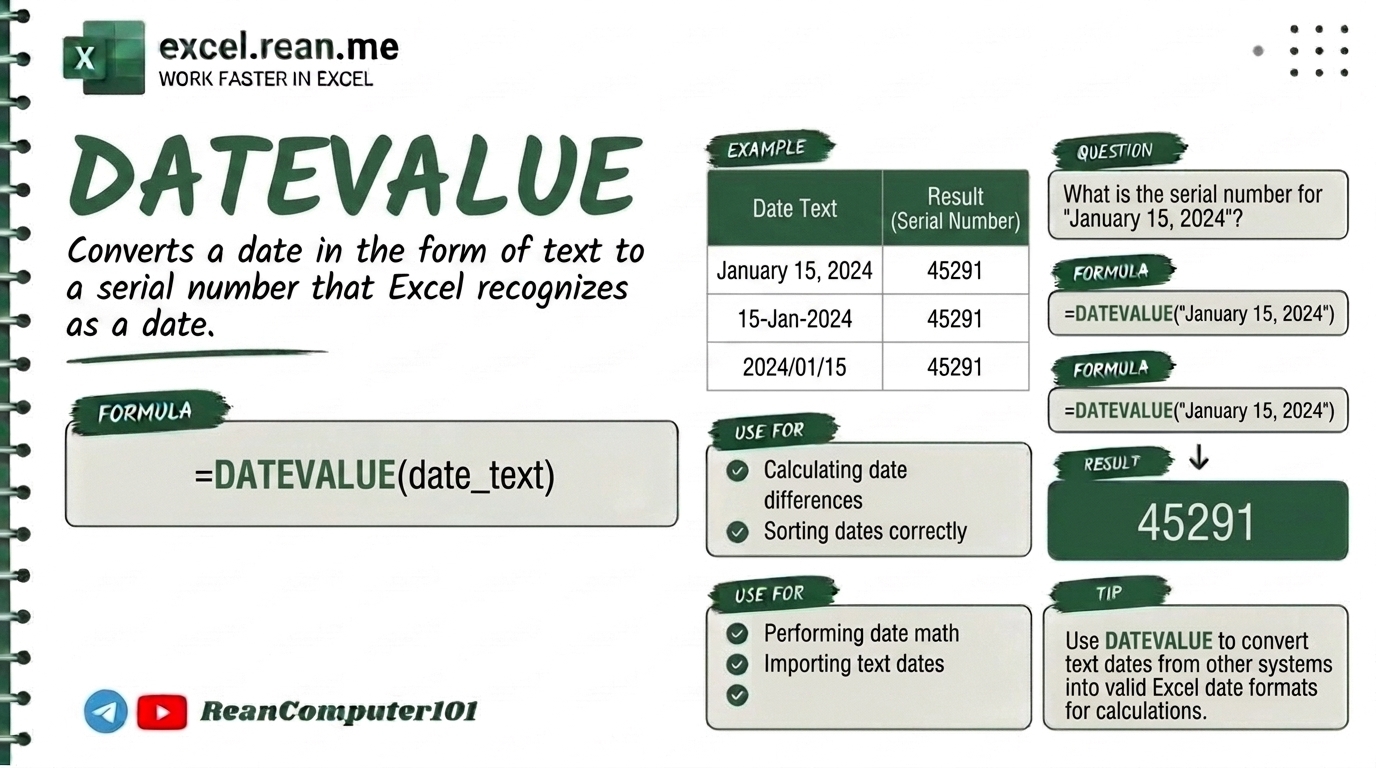
DATEVALUE function help you convert a date stored as text into a real Excel date. Very useful when you import data from web or software and dates become text!
📚 Related Tutorial: Want to build a date from year, month, day numbers? Check out How to Use DATE Function in Excel!
🛠️ How DATEVALUE Function Work?
The DATEVALUE function convert text date into a real Excel date value.
Formula Syntax:
=DATEVALUE(date_text)
| Parameter | Meaning | Example |
|---|---|---|
date_text | Date text in quotes or cell reference with text date | "2026-09-07" or A2 |
📺 Example #1: Convert Text Date to Real Date
If cell A2 contain text date "9/7/2026":
=DATEVALUE(A2)
- Result: Real Excel date. Set cell format to Short Date to display
9/7/2026properly!
Using text string directly in formula:
=DATEVALUE("2026-09-07")
- Result:
2026-09-07(real date value)
Important Note: When the formula returns a number (like 46430) instead of a date, simply select the cell and change the format to Date using the Home tab (Number Format dropdown → Short Date or Long Date).
📚 Related Tutorial: Learn more foundational formulas in our guide on Top 15 Basic Excel Formulas for Beginners ↗!
Related Tutorials
Opens in new tab ↗How to Use DATE Function in Excel (Video in Khmer)
Learn how to use DATE function in Excel step-by-step to build real dates from year, month, and day numbers.
How to Use REPT Formula in Excel (Video in Khmer) + Tips
Learn how to use REPT function in Excel step-by-step to repeat text or characters with simple examples and video guide.
How to Use AVERAGE / AVERAGEIF Functions in Excel (Video in Khmer)
Learn how to calculate the average of numbers in Excel using AVERAGE/AVERAGEIF function with simple examples and Khmer video guides.