How to Use REPT Formula in Excel (Video in Khmer) + Tips
Learn how to use REPT function in Excel step-by-step to repeat text or characters with simple examples and video guide.
Hello everyone! Today i will show you how to use REPT formula in Microsoft Excel step by step.
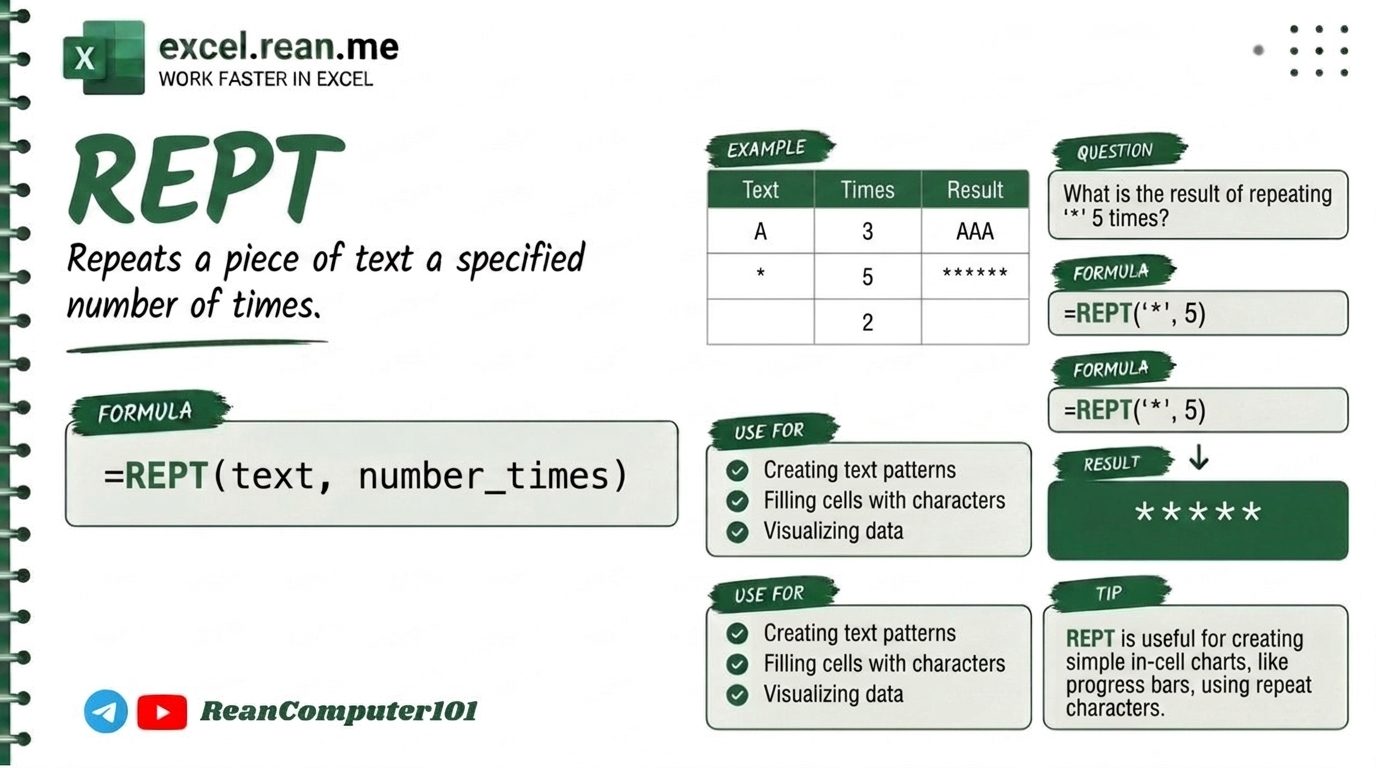
If you want to repeat any character or text many times in Excel (example: repeat star "*" 10 times to make line separator or repeat product code many times), REPT formula help you very fast and easy!
📚 Related Tutorial: Want to clean extra text spaces first? Check out How to Use Text Cleaning Formulas in Excel!
🛠️ Formula Syntax & How It Works
=REPT(text, number_times)
text: The character or text string you want to repeat (example:"*"or"Hello").number_times: Positive number how many times you want to repeat text (example:5or10).
📊 Simple Examples
Example 1: Repeat Asterisk to Make Star Rating / Separator
If you want 10 stars **********:
=REPT("*", 10)
- Result:
**********(10 star asterisks)
Example 2: Repeat Dash - to Make Line Separator
If you want line separator with 20 dashes:
=REPT("-", 20)
- Result:
--------------------(20 dashes line)
Example 3: Repeat Text Word with Space
If you want to repeat word "Excel " 3 times:
=REPT("Excel ", 3)
- Result:
Excel Excel Excel(3 times with space inside quote)
Example 4: Create In-Cell Bar Chart (Data Visualization)
If cell A2 contain score number 5:
=REPT("█", A2)
- Result:
█████(create visual progress bar inside cell without chart!)
another video example
💡 Pro Tips for REPT Formula
- Text Must Be inside Double Quotes
"": If you type formula=REPT(*, 5)Excel will show error. Always put quote around text like=REPT("*", 5). - Make In-Cell Bar Chart: Combine
REPT("█", A2)orREPT("|", A2)with fontPlaybillorImpactto make mini bar chart inside cell! - Handle Zero
0or Empty Times: Ifnumber_timesis0,REPTformula will return empty text"". If number is negative (like-5), Excel return#VALUE!error! - Pad Numbers with Leading Zeros: Need number
5to show as00005? CombineREPTwithLENlike=REPT("0", 5-LEN(A2)) & A2. - Combine with
CONCATor&: UseREPTtogether with&to join repeated symbol with text message (example:=REPT("⭐", B2) & " (" & B2 & "/5)").
📚 Related Tutorials
Related Tutorials
Opens in new tab ↗How to Use XMATCH Function in Excel (Multiple Examples)
Learn how to use XMATCH function in Excel step-by-step to lookup value in table or range with simple examples and video guide.
How to Use XLOOKUP Function in Excel (Multiple Examples)
Learn how to use XLOOKUP function in Excel step-by-step to lookup value in table or range with simple examples and video guide.
How to Use REDUCE Function in Excel + Tips
Learn how to use REDUCE function in Excel step-by-step to swap or insert text based on position with simple examples.