How to Use EXACT Function in Excel (Video in Khmer) + Tips
Learn how to use EXACT function in Excel step-by-step to compare two text values and check if they are 100% case-sensitive match.
Hello everyone! Today i will show you how to use EXACT function in Microsoft Excel step by step.
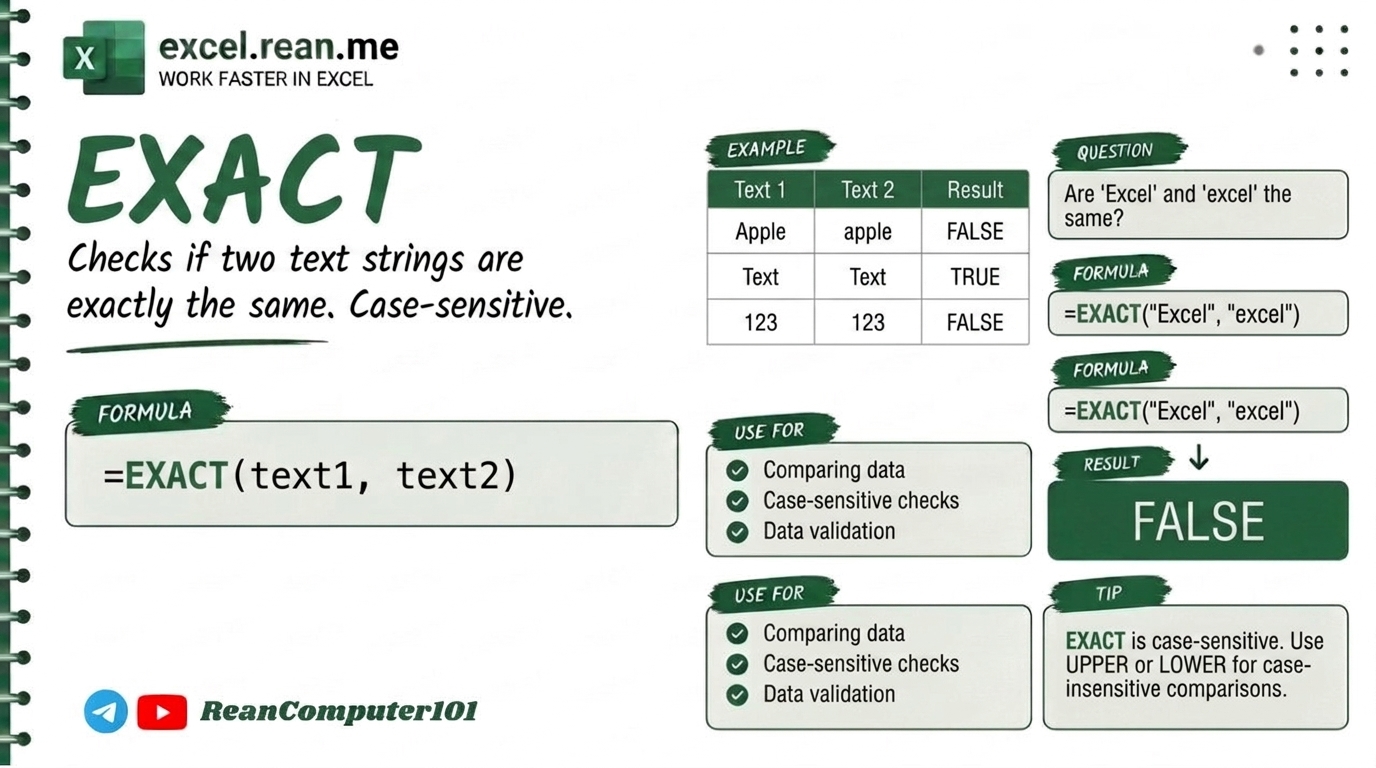
If you have two columns of text, serial numbers, or passwords and want to check if they are 100% exact match (case-sensitive BIG vs small letters), standard equals sign =A2=B2 ignore letter case! But EXACT formula check every single letter strictly and return TRUE or FALSE.
📚 Related Tutorial: Need to clean text case first? Check out How to Change Text Case (UPPER, LOWER, PROPER) in Excel!
🛠️ Formula Syntax & How It Works
=EXACT(text1, text2)
text1: First cell or text string to compare (example:A2).text2: Second cell or text string to compare (example:B2).
📊 Simple Examples
Example 1: Comparing Capital vs Small Letters
If cell A2 contain "Excel" and cell B2 contain "excel":
=EXACT(A2, B2)
- Result:
FALSE(becauseEXACTis case-sensitive: capitalEis not same as smalle!)
Compare with standard =A2=B2 which return TRUE!
Example 2: Comparing Exact Same Text
If cell A2 contain "Excel" and cell B2 contain "Excel":
=EXACT(A2, B2)
- Result:
TRUE
Example 3: Comparing Text with Hidden Extra Space
If cell A2 contain "Excel " (with space at end) and B2 contain "Excel":
=EXACT(A2, B2)
- Result:
FALSE(because extra space makes text different!)
💡 Pro Tips for EXACT Formula
- EXACT is Strict Case-Sensitive: Standard comparison
=A2=B2treats"EXCEL"and"excel"as equal (TRUE). Use=EXACT(A2, B2)when comparing passwords or codes where case matters! - Combine with IF for Custom Messages: Combine
EXACTinsideIFto display readable status like"Match"or"Mismatch":=IF(EXACT(A2, B2), "Match", "Mismatch") - Combine with TRIM to Ignore Spaces: If you want to check letter case but ignore trailing spaces, combine
EXACTwithTRIM:=EXACT(TRIM(A2), TRIM(B2)) - Case-Sensitive Lookup: Combine
EXACTwithFILTERorXLOOKUPto perform case-sensitive data searches in Excel!
📚 Related Tutorials
Related Tutorials
Opens in new tab ↗How to Use REDUCE Function in Excel + Tips
Learn how to use REDUCE function in Excel step-by-step to swap or insert text based on position with simple examples.
How to Use SUBSTITUTE Function in Excel + Tips
Learn how to use SUBSTITUTE function in Excel step-by-step to replace text with new text, with simple examples and Khmer video guide.
How to Use SORT and SORTBY Functions in Excel + tip
Learn how to use SORT and SORTBY functions in Excel step-by-step with easy examples and Khmer video guide.