How to Use the WEEKNUM Function in Excel (video in khmer)
Learn how to get the week number of the year from a date in Excel using WEEKNUM formula step by step with simple examples.
Hello everyone! Today i will show you how to use WEEKNUM formula in Microsoft Excel step by step.
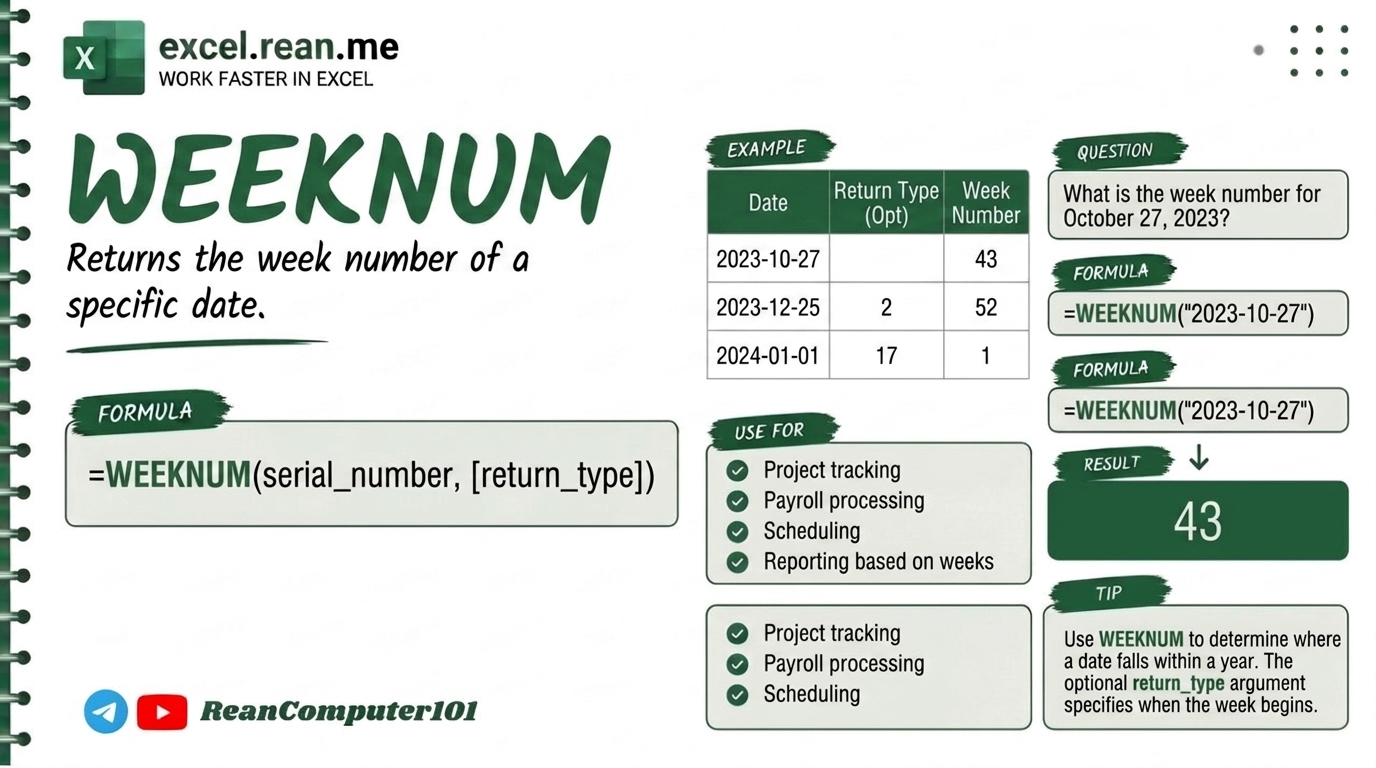
If you have date in your spreadsheet (example: 2026-05-30) and you want to know what week number of the year it is (1 to 52 or 53), the WEEKNUM formula help you very fast and easy!
📚 Related Tutorial: Want to get the day of the week number instead? Check out How to Use WEEKDAY Function in Excel!
🛠️ Formula Syntax & How It Works
The WEEKNUM formula has two parts:
=WEEKNUM(serial_number, [return_type])
serial_number: The date cell you want to check (example:A2or"2026-05-30").return_type(Optional): Choose which day your work week start:1(or leave empty): Week start on Sunday (Sunday = 1, Saturday = 7).2: Week start on Monday (Monday = 1, Sunday = 7).11: Week start on Monday (same like option 2).
📊 Simple Examples
Example 1: Week start on Sunday (Default)
If cell A2 contain date 2026-05-30:
=WEEKNUM(A2)
- Result:
23(May 30, 2026 is in week 23 when week start on Sunday)
Example 2: Week start on Monday
If cell A2 contain date 2026-05-30:
=WEEKNUM(A2, 2)
- Result:
22(May 30, 2026 is in week 22 when week start on Monday)
Example 3: Get Week Number for Today Date
If you want to know current week number for today:
=WEEKNUM(TODAY(), 2)
- Result: Show current week number automatically!
💡 Pro Tips for WEEKNUM Formula
- Format Result Cell: After enter
WEEKNUMformula, change cell format to General or Number so week number show clean without date formatting. - Choose Correct Return Type: Check your company office calendar if your work week start on Sunday (use
1) or Monday (use2). - ISO Week Number Standard: If your office follow ISO standard (where week 1 is first week of year with at least 4 days), use
return_type=21or use=ISOWEEKNUM(A2). - Combine with IF Function: You can combine
WEEKNUMwithIFformula to group sales data by week automatically!
📚 Related Tutorials
Related Tutorials
Opens in new tab ↗How to Use the WEEKDAY Function in Excel (video in khmer)
Learn how to get the day number from a date in Excel using WEEKDAY formula step by step with easy examples.
How to Use the VALUE Function in Excel (video in khmer) + Tips
Learn how to convert text numbers to real numbers in Excel using VALUE formula step by step with easy examples.
How to Use the NUMBERVALUE Formula in Excel (video in khmer) + Tips
Learn how to convert text numbers to real numbers in Excel using NUMBERVALUE formula step by step with easy examples.