How to Use the NUMBERVALUE Formula in Excel (video in khmer) + Tips
Learn how to convert text numbers to real numbers in Excel using NUMBERVALUE formula step by step with easy examples.
Hello everyone! Today i will show you how to convert text format number to real actual number in Excel step by step using NUMBERVALUE formula.
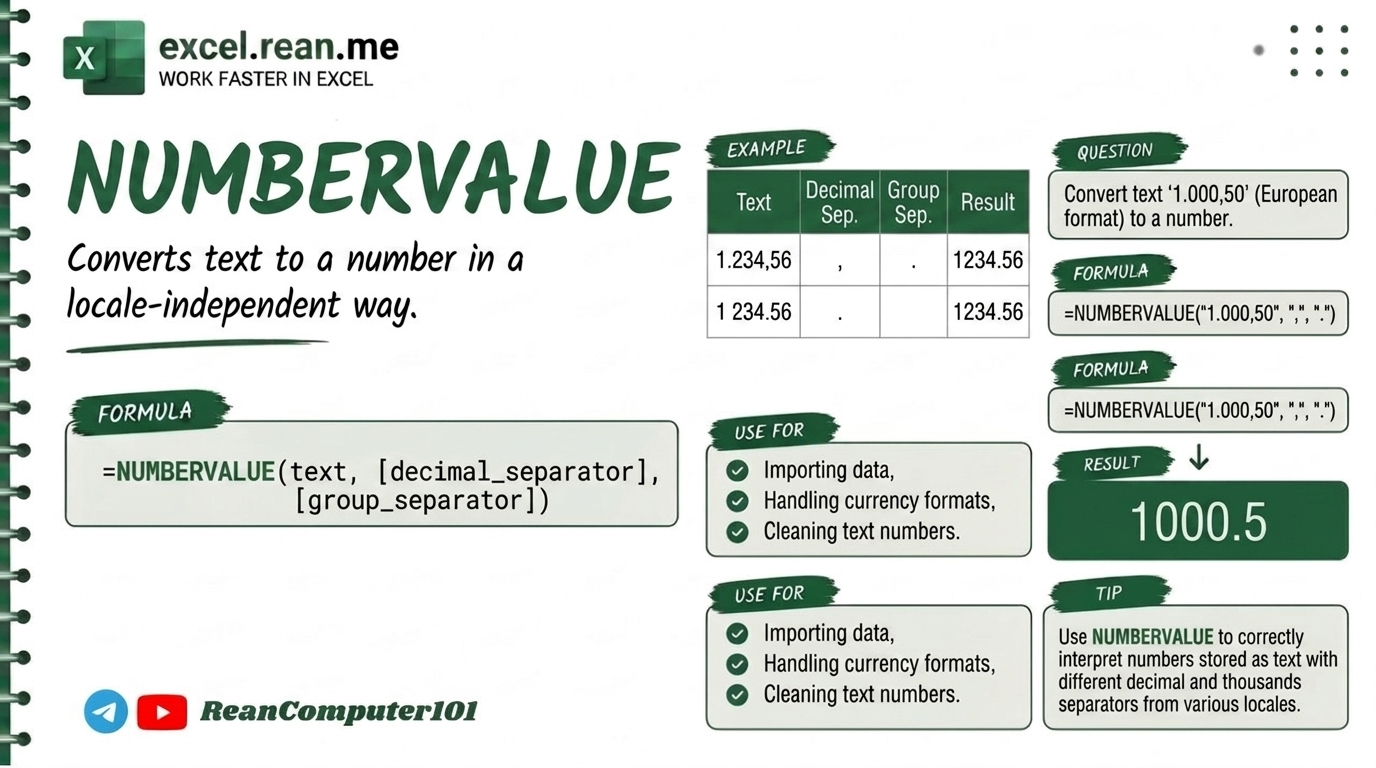
If you have list of numbers in Excel spreadsheet but it saved as text format (example: "1,250.50" or European format "1.250,50"), Excel cannot calculate math like SUM or AVERAGE! The NUMBERVALUE formula help you convert text to real number very fast and handle custom decimal separators easily!
📚 Related Tutorial: Want to learn basic conversion first? Check out How to Use VALUE Function in Excel!
🛠️ Formula Syntax & How It Works
=NUMBERVALUE(text, [decimal_separator], [group_separator])
text: The text cell containing numbers you want to convert (example:A2or"1.250,50").[decimal_separator](Optional): Character used for decimal point (example:"."or",").[group_separator](Optional): Character used for thousands group (example:","or".").
📊 Simple Examples
Example 1: Standard Text Number Conversion
If cell A2 contain text "1,250.50":
=NUMBERVALUE(A2)
- Result:
1250.5(now you can calculate math!)
Example 2: European Number Format (1.250,50)
If cell A2 contain text "1.250,50" (where , is decimal point and . is thousands separator):
=NUMBERVALUE(A2, ",", ".")
- Result:
1250.5(converted to standard Excel number!)
Example 3: Convert Text with Percentage Sign ("25%")
If cell A2 contain text "25%":
=NUMBERVALUE(A2)
- Result:
0.25
💡 Pro Tips for NUMBERVALUE Formula
- Fix Foreign / European Data Imports: When importing sales reports from Europe or South America where decimals use comma
,and thousands use dot., use=NUMBERVALUE(A2, ",", ".")to convert instantly without changing Windows system language! - NUMBERVALUE vs VALUE:
VALUE()uses your computer regional settings only.NUMBERVALUE()(Excel 2013+) lets you specify custom decimal and group separators directly inside formula! - Remove Extra Spaces First: Combine with
TRIMformula if text numbers have hidden spaces:=NUMBERVALUE(TRIM(A2)) - Ignores Multiple Group Separators:
NUMBERVALUEautomatically ignores extra thousands separators so it won't break your formulas.
📚 Related Tutorials
Related Tutorials
Opens in new tab ↗How to Use the VALUE Function in Excel (video in khmer) + Tips
Learn how to convert text numbers to real numbers in Excel using VALUE formula step by step with easy examples.
How to Use the WEEKNUM Function in Excel (video in khmer)
Learn how to get the week number of the year from a date in Excel using WEEKNUM formula step by step with simple examples.
How to Use the WEEKDAY Function in Excel (video in khmer)
Learn how to get the day number from a date in Excel using WEEKDAY formula step by step with easy examples.